Responsive screenshot test
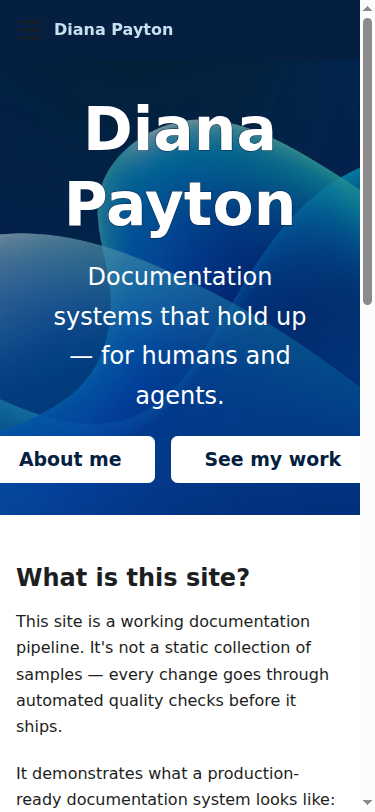
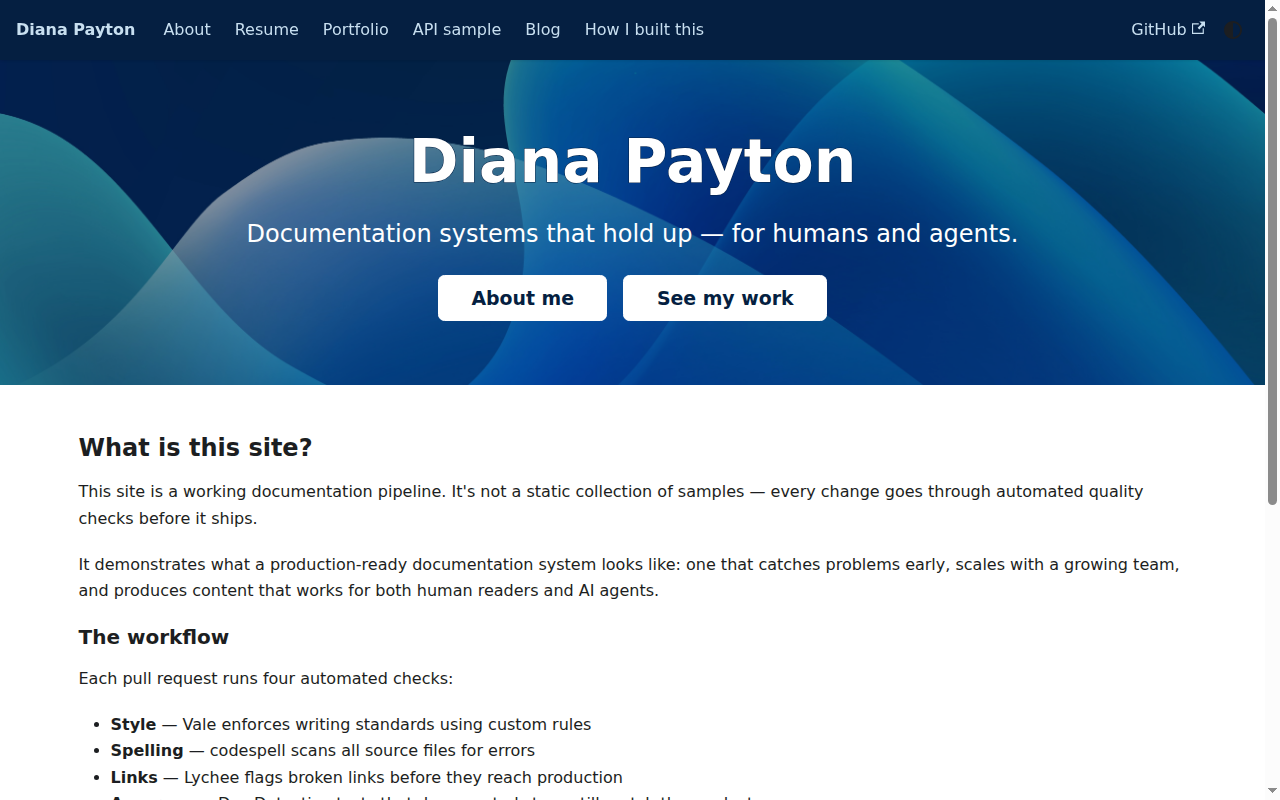
This page shows two screenshots of the homepage, captured automatically by Doc Detective at two different viewport sizes: a typical mobile width and a typical desktop width.
Why this matters
The pipeline test and the API reference screenshot test both check a page at a single, fixed viewport. Neither one would notice if a layout change broke the mobile experience while leaving desktop untouched, or the other way around. Responsive bugs are exactly that kind of failure: the markup and the content are both fine, but the page falls apart at a width nobody happened to be looking at. This can happen when CSS changes without enough test coverage, or when some other update shifts the layout without anyone noticing.
This page defines two separate tests that each run the same two steps: navigate to the homepage, then take a screenshot. The only difference between them is the runOn viewport configuration. One requests a 375×812 viewport (a common mobile breakpoint). The other requests 1280×800 (a common desktop breakpoint).
Requested and rendered aren't always identical: some browser automation setups enforce a minimum window width regardless of the viewport a test asks for. Treat the screenshots as the ground truth for what actually rendered, not the requested viewport dimensions.
Latest result
Loading latest result…Screenshots
How the test works
This page defines two separate embedded tests, each scoped to its own runOn block so it runs in its own browser viewport.
Mobile
- Navigate to the homepage.
- Capture a screenshot at 375×812 and save it as
homepage-mobile.png.
Desktop
- Navigate to the homepage.
- Capture a screenshot at 1280×800 and save it as
homepage-desktop.png.
What makes this test fail
Each test only fails if the browser can't reach the homepage at all. Neither test compares the screenshot against a previous version, so a layout that renders but looks wrong, content overflowing its container, a broken breakpoint, an element overlapping another, will not turn the badge red. This test proves the page still renders at both widths, not that it renders well. Catching a visual regression like that is the job of the screenshot comparison test (maxVariation), which isn't wired into this page's own screenshots but is demonstrated on the API reference and doodle pages.
Run the test manually
If you clone this repo, then you can run the test locally.
npm install -g doc-detective
cd website && npm run build && npx docusaurus serve --no-open &
doc-detective --config doc-detective/config.json --input website/src/pages/doc-detective/responsive-test.mdx
Run the test on GitHub Actions
The test runs automatically every day and on every push to main that touches this page. To trigger it on demand:
- Go to the Actions tab in the GitHub repository.
- Select Responsive screenshot test.
- Click Run workflow.